
Reports
Generating formatted PDF reports from your asset data.
Reports
Reports produce formatted, printable PDF documents — useful for audits, stock takes, handovers, or management summaries. Unlike export, reports are not raw data dumps; they are structured documents with grouping and layout options.
Reports are only available on the web interface. They are not available on the mobile app.
Report Types
| Report | Description |
|---|---|
| Assets by Code | All assets sorted by asset code |
| Assets by Category | Assets grouped by category |
| Assets by Type | Assets grouped by type |
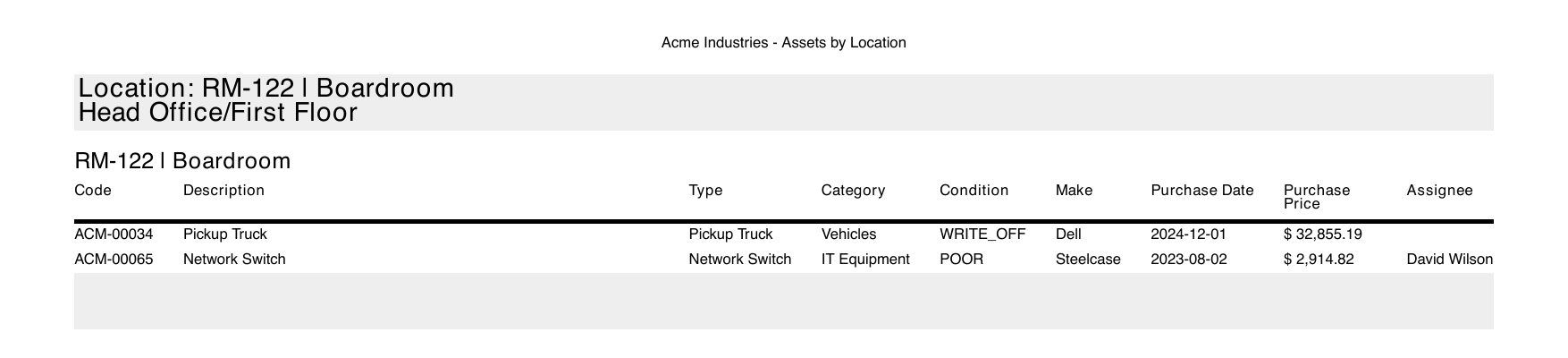
| Assets by Location | Assets grouped by location |
| Disposed Assets | Only disposed assets |
Configuring a Report
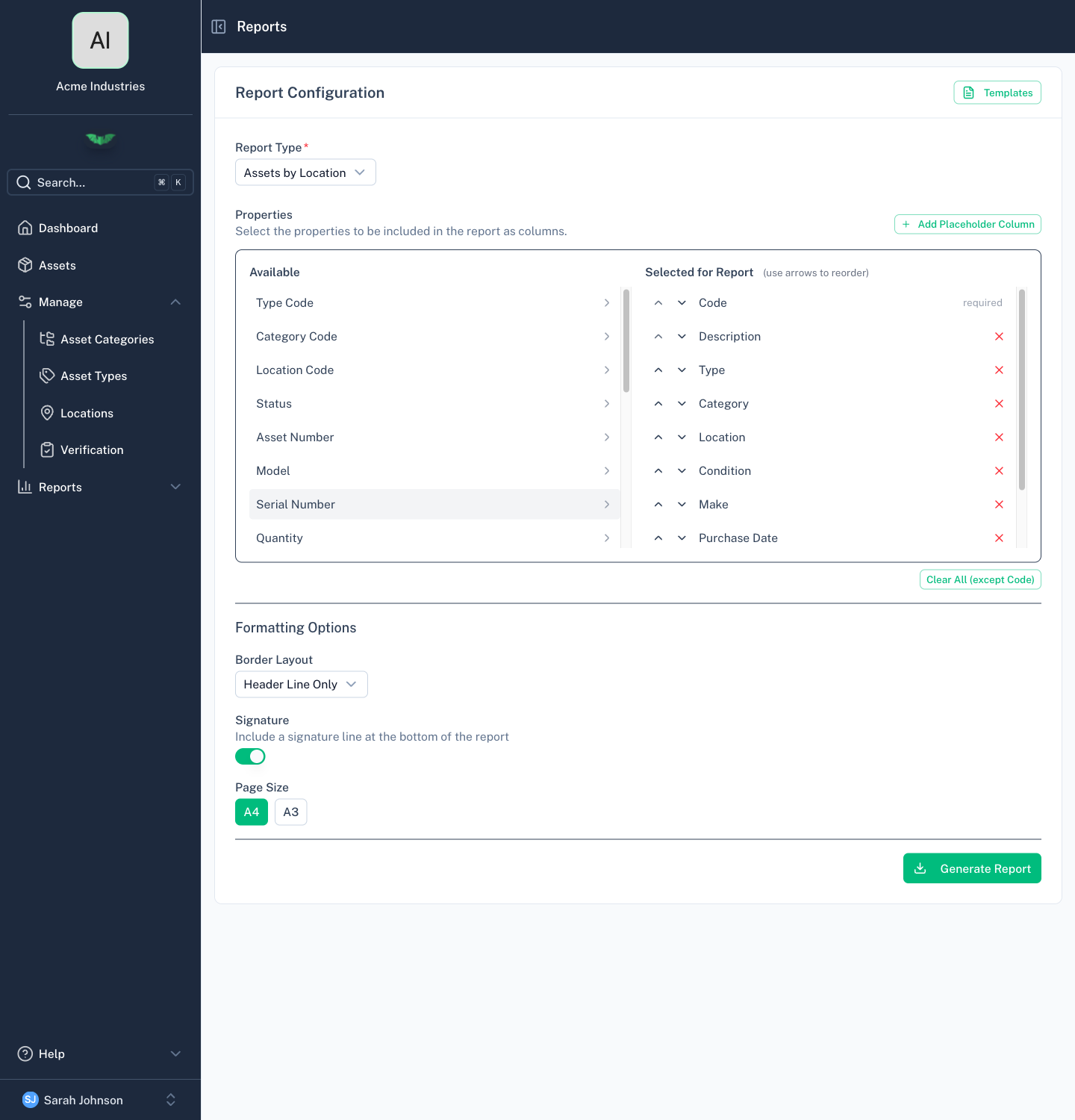
Each report can be customised:
- Filter — A report grouped by category, type, or location can be limited to the ones you pick, for example one site instead of the whole register. Leave it empty for everything. A location includes everything under it, and the cover page lists what the report covers.
- Columns — Tap a column to add it to the report. Drag it, or use the arrows, to set the print order. Code always comes first. Placeholder adds an empty column to write in by hand.
- Border layout — Rows only or Grid
- Signature — Optionally include a signature line at the end of each group
- Page size — A4 or A3
Report Templates
Save your filter, column and layout configuration as a named template. Templates are stored per organisation, can be renamed, and can be reused by any member with report access.
Generating a Report
- Select a report type
- Configure columns and layout (or load a saved template)
- Click Generate
- The report is generated in the background — batapp downloads the PDF automatically when ready
The PDF starts with a cover page and a contents page that links to each group. If no assets match, batapp tells you there is nothing to report instead of downloading an empty file.
Permissions
Reports require the Admin or Editor role.